Social insights and metrics
Measure customer-message activity, team handoffs, and time to the first human reply without confusing handoff share with resolution.
3 min read
- Project
- Insights
Select the date range and assistant, then review Social metrics in Summary or Answer quality and open conversation evidence.
Use Overview and Handoffs for current work. Use Insights to understand historical channel demand and your team's handoff workload.
- Finish with
- Social measurements interpreted with their dates, scope, and conversation evidence
Where to look
| Area | Useful for |
|---|---|
| Overview | Current conversations needing takeover and customers waiting while your team controls the chat |
| Handoffs | Opening those conversations, taking over, and sending or checking replies |
| Insights → Summary | Historical Social conversation volume, team involvement, and volume by channel |
| Insights → Answer quality | First human reply time, unanswered handoffs, channel counts, and recorded handoff reasons |
Social measurements sit alongside the project's other insights. They do not replace main conversation analysis or put live inbox status at the top of Insights.
Read the metrics precisely
| Measurement | Definition | Important limit |
|---|---|---|
| Social conversations | Distinct conversations with a verified, processed customer message in the selected period | Not messages, unique people, or connected accounts |
| Handed to people | Conversations in that activity group with a handoff started in the same period | Multiple handoffs in one conversation count once here |
| Handoff share | Handed-to-people conversations divided by Social conversations | No activity means no percentage; it is not resolution, satisfaction, or deflection |
| Handoff episodes | Individual transfers to the team started in the selected period | One conversation can have several episodes, including manual takeovers |
| Median first human reply | Median elapsed time from handoff start to its first provider-accepted human reply, among episodes with one | Not working hours; unanswered episodes are excluded |
| Unanswered handoffs | Episodes in the period without a recorded qualifying first human reply | Closing or resuming is not a human reply |
| Channel and reason breakdowns | Activity volume by channel and episodes grouped by channel or recorded reason | Conversation counts and episode counts use different groups |
Provider acceptance does not establish that the customer read a message. This report does not infer satisfaction from delivery status or a lack of further messages.
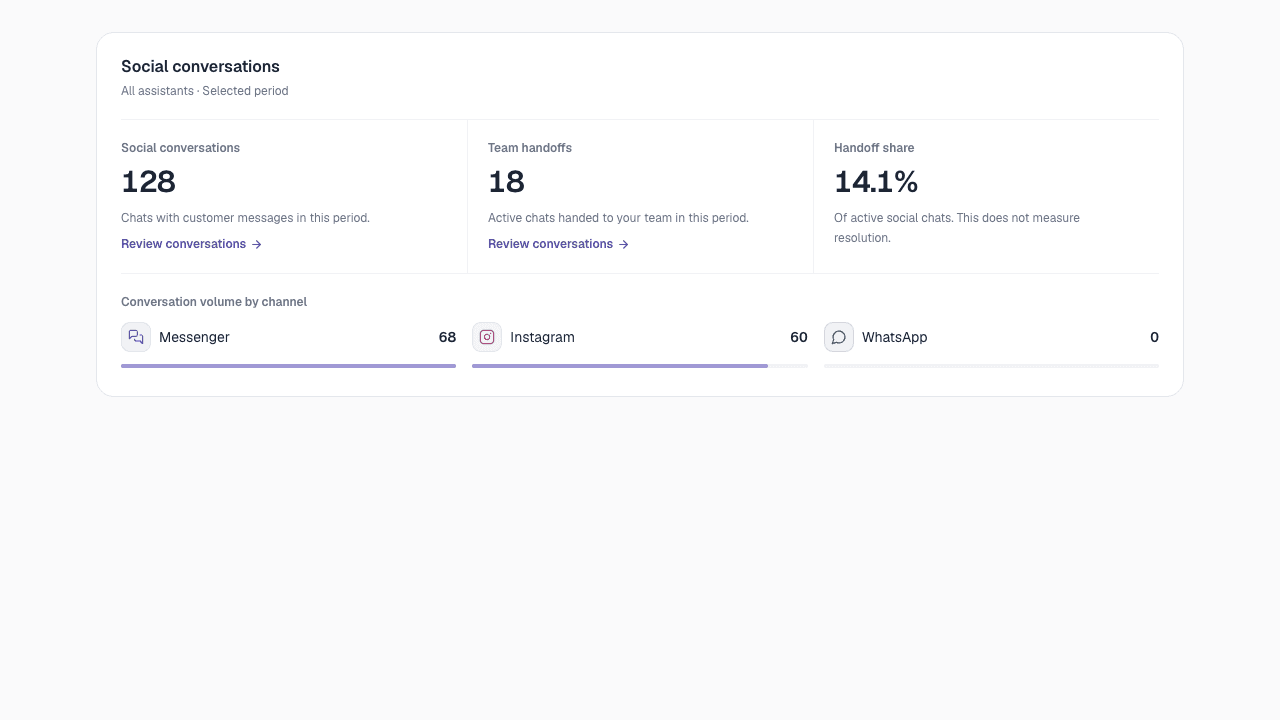
Illustrative platform screenshot. Sample numbers are not a promise of performance or production results.
Scope and evidence
Choose the project, date range, and assistant before comparing values. Activity uses customer-message receipt time; episodes use handoff start time. Assistant scope follows the conversation's assigned assistant, including older conversations that retained a previous assignment.
A handoff near a date boundary can belong to a different period from the latest customer message. A quiet manual takeover can appear in episode counts without increasing activity-based handoff share. Channel totals for conversations and handoffs therefore need not describe the same group.
Open available conversation evidence before changing a policy. Refresh updates Social metrics along with other insights. Zero means no recorded activity in the selected scope; an unavailable report or a metric with no qualifying sample is not zero.
Operational metrics come from message and handoff records. Optional AI conversation analysis has separate eligibility, coverage, and completion states. The handoff report does not prove every attachment or conversation has been analyzed.
Last updated on
Handoff rules and team replies
Configure when a person is needed, set team hours, take over a social conversation, and resume its assistant safely.
Social limits and troubleshooting
Diagnose missing replies, media fallbacks, expired access, and uncertain delivery without replaying messages or losing context.